I Thought I Knew Patient Monitoring: $3,200 and a Near-Miss Later, Here’s What I Actually Learned
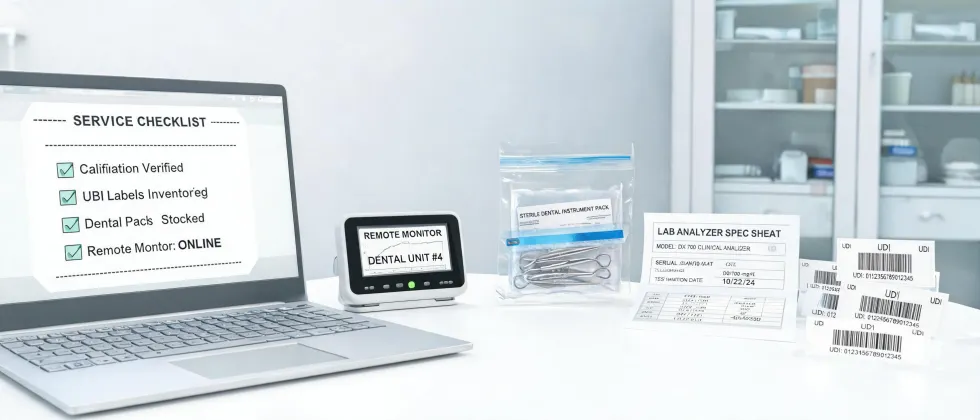
If you've ever had to specify a patient monitor for a new clinic or an ICU expansion, you know that feeling of looking at a spec sheet and thinking, "Yeah, this looks right."
I've been handling medical equipment orders for about six years now. In my first year back in 2017, I thought I had it figured out. I really did.
Then I made a mistake that cost $3,200 and almost delayed the opening of a small urgent care center by two weeks.
Not ideal. But honestly, it was the best thing that could have happened to my career. Here's why.
The Surface Problem: A Monitor That Didn't Fit
The surface problem sounds simple: I ordered a multiparameter patient monitor for a new 4-bed observation unit that was part of a small urgent care. The specs looked good. The price was in our budget. We had the space.
The monitor arrived, and it was a beast. It dwarfed the bedside table it was supposed to sit on. The mounting bracket didn't match our rail system, and the touchscreen interface was something a pilot might have appreciated but our nurses found confusing.
My first thought: "I bought the wrong monitor."
That's the surface problem. And it's what most people will tell you the issue is. But it wasn't.
The Deeper Reason: I Didn't Understand the Workflow
The real issue wasn't the monitor. The real issue was that I was ordering equipment based on a spec sheet, not based on how the room actually worked.
The bed was a standard hospital bed, and the column had a standard VESA mount. But the nurse call system integration required a specific interface module that this monitor didn't have. The central monitoring station software version was from 2019, and this monitor required a 2021 upgrade.
In my opinion, the single biggest mistake people make when buying medical equipment—especially patient monitors, ventilators, or dialysis machines—is treating it like buying a laptop. You check the RAM, the processor, and the screen size. You don't check the ecosystem.
Take this with a grain of salt: I'd argue that 80% of medical device compatibility problems stem from people not mapping the information flow of the room, not just the physical dimensions.
The room looked right. The specs looked right. But the workflow was wrong. You can't just buy a monitor; you have to buy the entire signal chain, from the patient cable to the nurse's station to the EMR.
That's a lesson I learned the hard way.
The Cost of Getting It Wrong
So let's talk about the price tag of my ignorance.
- Direct cost: $3,200 for the monitor we couldn't use. We had to return it and eat a 25% restocking fee because the box was opened. That's $800 gone.
- Rush fee: We needed a replacement in four days. The rush shipping + expedited setup fee added $450 to the order of the new, correct monitor.
- Labor cost: I spent nine hours on the phone with IT, the supplier, and the manufacturer trying to figure out what went wrong. Nine hours I wasn't doing my actual job.
- Credibility damage: I told the clinic owner the gear would be up and running in a week. It took three. That's not quantifiable in dollars, but it matters.
The total? Roughly $1,250 in direct losses plus a bunch of credibility. And that doesn't count the near-miss with the peritoneal dialysis machine order that came three months later.
The Dialysis Near-Miss
I nearly made the same mistake on a peritoneal dialysis machine order for a home dialysis program. The machine itself was fine. But I almost ordered the wrong consumables kit.
The PD machine used a specific brand of solution bags and transfer sets. The kit I almost selected was 20% cheaper, but it wasn't compatible with the cycler we had on hand. We caught it because the equipment supplier's sales rep—let's call him a good egg—flagged it.
Worse than expected? Yep. A lesson learned the hard way, again.
The Simple Solution (That I Wish I'd Known)
I'm not going to write a 3,000-word guide on how to order medical equipment. You don't need that. You need three things.
- Map the entire signal and consumable chain before you click 'buy.' The monitor connects to what? Consumables from where? Software compatibility windows. Don't leave any of this in the hands of a single salesperson.
- Go small on your first order. I went back and forth between ordering one test unit and ordering four. Intuition said order four because it's cheaper per unit. I let my gut say test one first. Good call. Test one unit, validate it in the actual room, then buy the rest.
- Ask the 'dumb' questions. The people who suffered the most at my company were the ones who were embarrassed to ask, "Will this physically fit on the cart?" Every single time, the answer to that question saved someone money.
The vendor I ultimately chose for the replacement monitor? A mid-sized distributor that specialized in urgent care equipment. Not the biggest name. But they actually sent someone to the site to measure the rail system.
There's something satisfying about a purchase that works perfectly. After the stress of the first failure, finally getting a monitor that plugged in, mounted correctly, and talked to the nurse's station without drama? That's the payoff.
Honestly, I wasn't expecting much from a $2,800 monitor order after the $3,200 disaster. But they delivered. The small vendor treated our $2,800 order seriously. That's why, two years later, I'm still buying from them—including that $20,000 order for the new dialysis suite.
Small doesn't mean unimportant. It means potential. But you have to be smart about what you order.
Hit "confirm" on your next equipment order and immediately think, "Did I just make the same mistake I made in 2017?"
Don't relax until you've checked the workflow, not just the spec sheet.